Manage Serverless Functions
Serverless Functions in GlobalAI allow you to execute discrete, reusable operations within your automation workflows. Built on the OpenFaaS framework, these functions act as modular building blocks for tasks ranging from simple notifications to complex database updates.
Register a Function
To use a serverless function, you must first register it within the platform by pointing to an existing container image.
- Navigate to the Functions menu in the platform interface.
- Click Create Function. The Create function window will open. Here, you can configure all the essential parameters required to register an OpenFaaS-based serverless function within the GlobalAI platform. The interface is divided into sections for general identification, container details, and resource allocation.
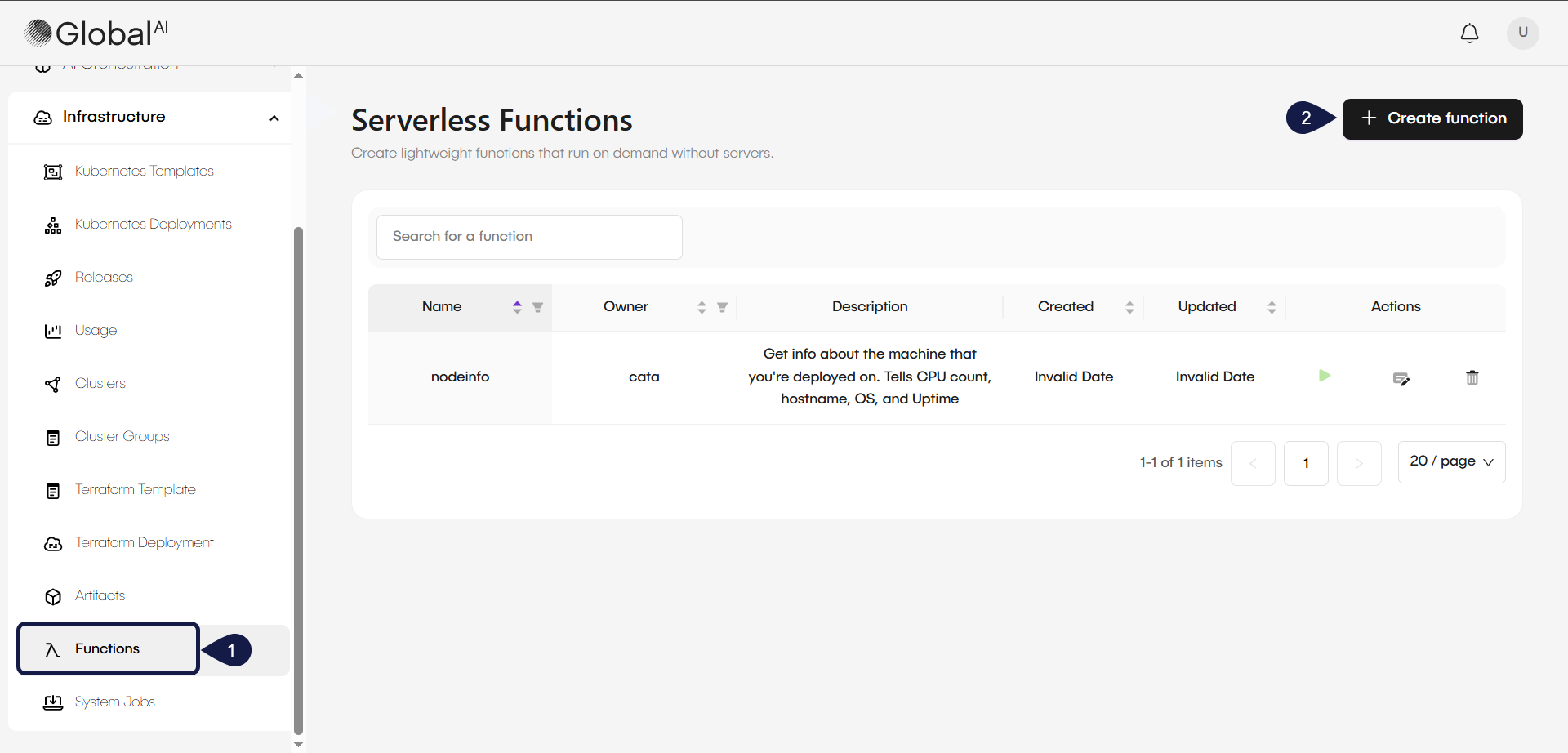
General Details
- Name: A mandatory field to enter a unique identifier for your function.
- Description: An optional field to provide a brief overview of the function's purpose or operational role.
- Tags: Use the + New Tag button to add metadata for easier filtering and organization within the platform.
- Input Schema: Click Configure to define the JSON structure the function expects to receive, ensuring seamless integration with automation workflows.
- Output Schema: Click Configure to define the JSON structure returned by the function after successful execution.
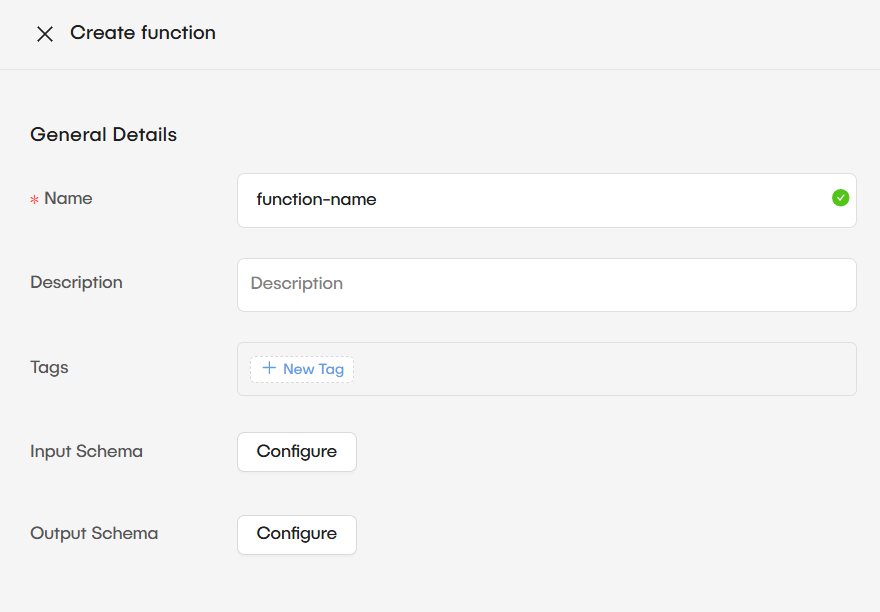
Function Container image
- Image: A mandatory field where you must provide the path for an OpenFaaS-compatible container image.
- Registry Authentication: If your container image is stored in a private repository, you can provide the Registry URL, Auth Username, and Auth Password to enable the platform to pull the image.
Container requests
- CPU: Set the processing power required for the function by entering a value and selecting the unit (such as MilliCPU) from the dropdown menu.
- Memory: Define the allocated RAM by entering a value and selecting the appropriate unit (such as Mebibyte) from the dropdown.
Once all required fields are completed and your schemas are configured, click the Create button to register the function and make it available for use in workflows.
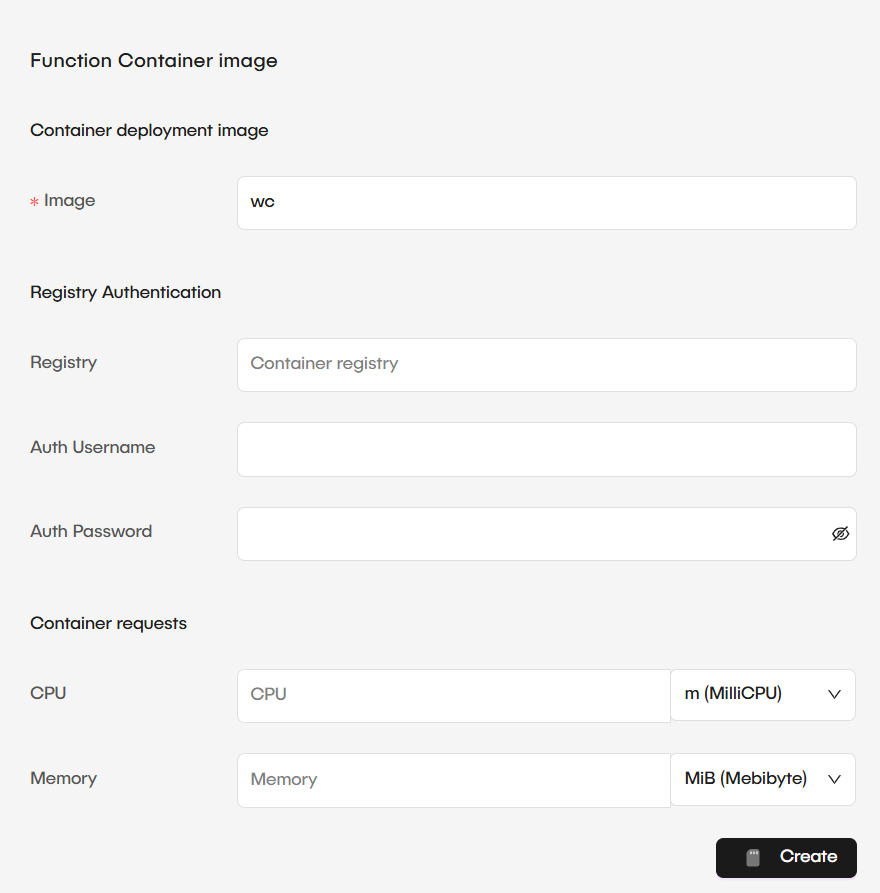
Test function execution
You can validate a function directly within the GlobalAI interface to ensure it performs as expected before integrating it into a production workflow. Testing allows you to verify that the function correctly processes inputs and returns the expected results based on your defined JSON schemas.
To test a function, follow these steps:
- Navigate to the Functions list and locate your registered function.
- Click the Execute function icon (play button) under the Actions column for that specific function.
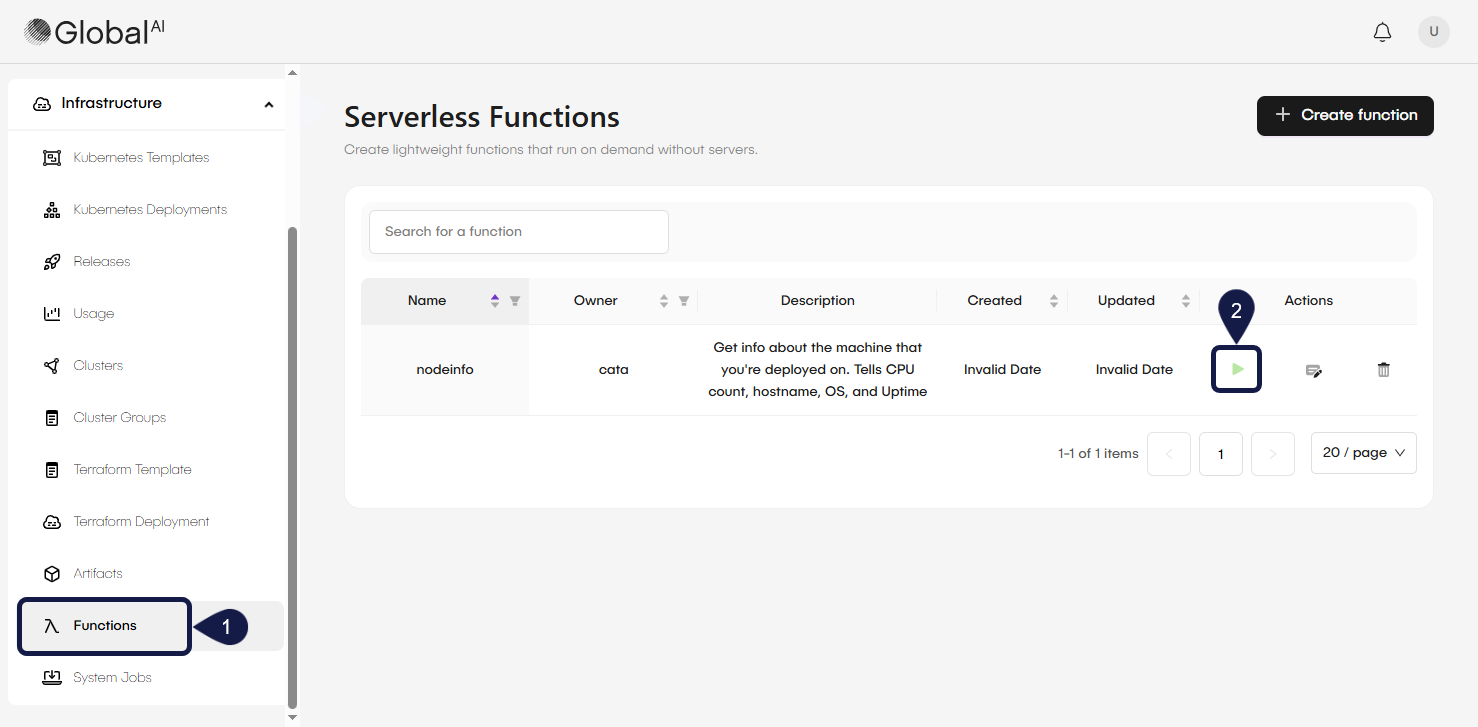
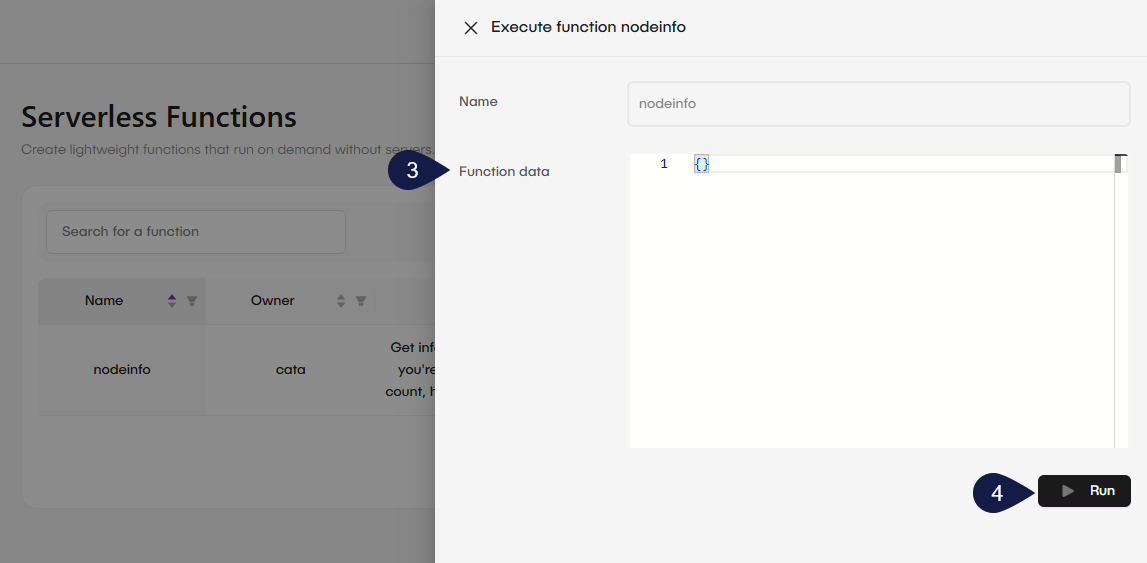
- In the side panel that appears, enter JSON data in the Function data editor if your function requires input parameters based on your defined Input Schema. If no parameters are needed, you can leave this field with the default empty braces .
- Click the Run button to trigger the function.
- The Execution result window opens, displaying the Output of the function. For example, a successful execution might return operational data such as the Hostname, operating system (Platform), and CPU count.
Use functions in Workflows
Once registered and tested, functions are available as reusable building blocks within the Automation module. By integrating functions into your workflows, you can execute specialized code logic or retrieve system data to drive complex automation sequences.
To learn how to add a function node to your workflow and map it to your automation sequence, see How to Add Functions to a Workflow.
The output of a function, such as processed data or status codes, can be consumed by subsequent nodes in the workflow to perform conditional branching or data transformations
Related articles
Now that you know how to manage serverless functions, you can explore these related guides.
Understand Nodes
Learn how to design automated sequences using the visual workflow editor.
How to Create and Manage a Workspace
Organize your workflows, functions, and secrets within secure workspace containers.
How to Add Functions to a Workflow
Learn how to add a function node to your workflow and map it to your automation sequence.